- Categories :
- More
The November 2026 Microsoft 365 Outage: What Happened and What to Do Next
By:
 Braintek
| Published 11/16/2026


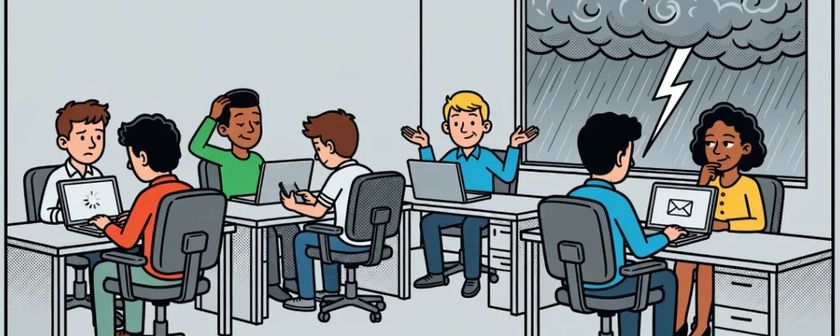
On Thursday, November 12, 2026, Microsoft 365 suffered one of its largest outages in years. Starting around 1pm Eastern (noon in Houston and Dallas), users across the Americas, then Europe and Asia, lost access to Outlook and Exchange Online mailboxes, and the disruption spread to Teams calendaring, SharePoint, Copilot, Defender and a long list of dependent services. Recovery stretched into Friday.
The short answer for business owners: your email was very likely not lost. Microsoft extended its delivery retry window to 48 hours so delayed messages would still arrive once mailboxes came back. The bigger lesson is that when one vendor carries your email, calendar, chat, files and security tools, one bad night takes all of them down together.
What Happened During the Microsoft 365 Outage?
Exchange Online servers began dropping out of service on the afternoon of November 12. Microsoft first described it as elevated load across multiple regions, then clarified that the extra load wasn’t coming from more traffic. Servers were becoming unavailable on their own, which pushed their work onto the remaining servers until those struggled too.
Over the following hours Microsoft paused all deployments and configuration changes, pulled failing servers out of rotation, and tried restarts and rebuilds. Overnight it said a process that establishes secure connections on the affected servers was being overwhelmed, and it began rolling back a recent network configuration change that lined up with the start of the problem. Servers that were brought back sometimes failed again as soon as traffic returned, which is why recovery came in waves rather than all at once.
Downdetector logged nearly 130,000 Outlook reports shortly after the problems began, and the outage reached users in more than 70 countries. Microsoft is tracking it under incident IDs EX1550543 (Exchange Online) and MO1550821 (dependent Microsoft 365 services).
What was affected, per Microsoft’s own incident notes:
- Outlook and Exchange Online: mailboxes unreachable in Outlook on the web, desktop Outlook and mobile mail. Third-party mail apps connected to Exchange were affected too. Delivery was delayed.
- Teams: core calls, chats and meetings mostly kept working, but scheduling meetings, sending invites and editing calendar entries failed.
- SharePoint and OneDrive: files stayed accessible, but features that lean on Exchange, like external sharing, could fail.
- Copilot: chats could fail to load or lose access to mail, calendar and files.
- Defender and Purview: some policy checks and portal pages were impaired, including Safe Links URL verification in Outlook and Teams.
- Others: Planner, To Do, Intune, Power Apps mobile sign-in, Universal Print and parts of the admin center.
As of Friday afternoon, Microsoft reported sustained improvement across regions with email queues close to normal, while still working through intermittent issues. A full post-incident report will follow.
Was It a Cyberattack?
No evidence points to one. Microsoft has stated several times that it sees no indication of malicious activity, and its working explanation is an infrastructure failure tied to a configuration change and overloaded connection handling.
That said, expect scammers to use the outage as cover. Watch for fake “Microsoft 365 service restoration” emails asking users to re-enter their password or “re-verify” their mailbox. Microsoft did not ask anyone to do that, and resetting passwords was never part of the fix.
Did We Lose Any Email?
Almost certainly not. When a receiving mail server can’t accept a message, the sending server queues it and keeps retrying. Microsoft extended that timeout window to 48 hours during this incident so messages wouldn’t bounce while it cleared the backlog. Expect a flood of delayed mail as mailboxes recover, some of it out of order.
The exceptions worth checking:
- Time-sensitive messages like closing documents, bids or court filings that arrived hours late. Confirm with the other party rather than assuming they landed on time.
- Bounce notices from senders whose own servers gave up early. Those messages need to be resent.
- Anything a user clicked during the outage. With Safe Links unable to verify URLs for part of the window, a malicious link had a better chance of getting through than usual.
What Should Admins Check Now?
If you manage your own tenant, a short checklist for the next few days:
- Follow the incidents in Service health. In the Microsoft 365 admin center, watch EX1550543 and MO1550821 until they show resolved. If you can’t sign in, status.cloud.microsoft is Microsoft’s public status page.
- Don’t “fix” what isn’t broken. Microsoft’s guidance never called for reinstalling Office, rebuilding Outlook profiles or resetting passwords. Those steps waste time and create new tickets.
- Hold your own changes. Microsoft paused its deployments. Pausing yours for a day or two keeps any new problem from being mistaken for this one, and vice versa.
- Save the post-incident report. Service health only keeps about 30 days of history. Download the report when it’s published if you’ll need it for records, client communication or an SLA conversation.
- Set up outage alerts to an address outside Microsoft 365. Alerts that land in an Exchange mailbox are useless when Exchange is down.
Why Did One Outage Take Down Everything at Once?
Microsoft 365 isn’t a set of separate apps. Exchange Online sits underneath a lot of it: Teams uses it for calendars, SharePoint for sharing notifications, Copilot for mail and meetings, Defender for scanning. When Exchange stumbles, everything built on it stumbles with it.
For most small and midsize businesses that’s a reasonable trade. Microsoft runs this platform far more reliably than any single office could run its own mail server, and outages this large are rare. But this was the second multi-service Microsoft 365 capacity outage of 2026, after a multi-hour incident in North America in January. “Rare” isn’t “never,” and the businesses that handled Thursday well were the ones that had already decided what to do when Microsoft is down.
How Do You Prepare for the Next One?
You can’t prevent a Microsoft outage, but you can decide in advance how your business keeps operating through one. Four things make the difference:
- A communication channel that doesn’t depend on Microsoft. When Outlook and Teams calendaring are down, how does a manager reach the whole team? A text-message group, a phone tree or a simple status page outside Microsoft 365 works. Pick one now and put it in writing.
- A one-page outage plan. Who decides it’s an outage and not a local problem, who tells staff, who tells clients, and what work continues offline. Ten minutes of planning saves hours of confusion.
- Independent Microsoft 365 backup. Microsoft keeps the service running, but your data is your responsibility under its shared responsibility model. A third-party backup lets you search and restore mail and files even when the live service is struggling, and protects you from deletion and ransomware the rest of the year. Our data backup and recovery services cover Microsoft 365 mailboxes, OneDrive and SharePoint.
- Someone watching the tenant. Thursday’s outage was obvious. The quieter problems, like a stuck mail flow rule or an expiring certificate, aren’t. Proactive Microsoft 365 management catches those before users do.
If your Houston or Dallas office spent Thursday afternoon guessing whether the problem was on your end or Microsoft’s, that’s the gap to close. A managed IT partner answers that question in minutes and tells your staff what to do next.
Frequently Asked Questions
When did the Microsoft 365 outage start?
Problems began around 1pm Eastern on Thursday, November 12, 2026, with Exchange Online mailbox access failing first in the Americas and then in other regions. Recovery continued through Friday, November 13.
Is Microsoft 365 down right now?
Check the Service health page in the Microsoft 365 admin center, or status.cloud.microsoft if you can’t sign in. The November incidents are tracked as EX1550543 and MO1550821.
Will Microsoft give a credit for the outage?
Microsoft 365 business subscriptions carry a financially backed uptime SLA, and credits generally have to be requested by the customer or partner. Save the post-incident report and your incident IDs so a claim can be filed if the outage counts against the SLA.
Should we move off Microsoft 365 after this?
For most small businesses, no. The alternatives have outages too, and switching platforms costs far more than preparing for the occasional bad day. The better move is an outage plan, independent backup and a communication channel outside Microsoft.
Why did Teams calls work but meeting invites fail?
Teams calling and chat run on their own infrastructure, but Teams calendaring depends on Exchange Online. With Exchange impaired, anything touching the calendar failed while live calls mostly kept working.
Get a Microsoft 365 outage plan for your office
In a 15-minute discovery call, we’ll walk through how your business would handle the next Microsoft 365 outage and where your backup, alerting and communication gaps are.