- Categories :
- More
April Fools Jokes Are Over, but These Scams Aren’t Fun Pranks
By:
 Braintek
| Published 03/31/2026
Braintek
| Published 03/31/2026


April Fools' Day pranks fade quickly, but cyber scammers never take a break.
Spring marks a spike in cyberattacks—not due to negligence, but because busyness and distractions make teams vulnerable.
These sneaky scams easily blend into an ordinary workday and often only reveal their true danger after damage is done.
Here are three current scams targeting even the most diligent employees striving to stay on task.
Pause and consider: Does everyone on my team stop and scrutinize these scams carefully?
Scam #1: Fake Toll or Parking Fee Text
An employee receives a text message claiming:
"You owe $6.99 for unpaid tolls. Pay within 12 hours to avoid penalties."
The scam uses real toll system names—like E-ZPass or SunPass—and a small amount to avoid suspicion.
Pressed for time, employees click the link and pay, but the site is fraudulent.
In 2024, over 60,000 fake toll complaints flooded the FBI, with a staggering 900% increase in 2025, fueled by tens of thousands of fake domains crafted to mimic official toll sites—even targeting states without any toll roads.
This scam thrives because small fee requests seem harmless, and most people recently encountered tolls or parking, making the message feel legit.
Prevention Tip: Legitimate toll agencies never demand immediate payment via text links. Enforce a strict policy: never pay via messages. Instead, employees must visit official sites or apps directly and avoid replying to suspicious texts, as responses confirm active numbers inviting more scams.
Remember: Convenience tempts, but strict processes defend.
Scam #2: "Your File Is Ready" Email
This scam blends seamlessly into daily work.
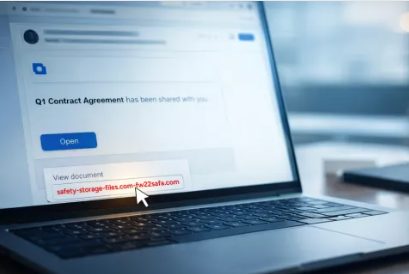
An email notifies employees about a shared document—often a contract via DocuSign, spreadsheet on OneDrive, or Google Drive file.
The sender name and formatting look authentic.
They click, prompted to log in, and unwittingly hand over credentials, giving attackers access to your company's cloud systems.
Phishing attacks exploiting trusted platforms surged 67% in 2025, with Google Slides phishing links soaring over 200% in six months, according to KnowBe4's Threat Labs.
Employees are seven times more likely to click on a malicious link from OneDrive or SharePoint than from a random email because these notifications appear genuine.
Worse, attackers now use compromised accounts to send sharing notifications from real Google or Microsoft servers, bypassing spam filters.
Prevention Tip: Train employees to avoid clicking unexpected file links. Instead, log in directly to the service to verify shared files. Reduce risk by limiting external sharing permissions and enabling alerts for unusual login activities—simple IT settings that take minutes to configure.
Simple habits yield powerful security.
Scam #3: The Perfectly Written Email
Gone are the days of easily spotted phishing emails full of errors and odd formatting.
A 2025 study revealed AI-crafted phishing emails achieve a 54% click rate—over four times higher than human-authored messages—by mimicking real company details pulled from LinkedIn and websites.
These messages target departments specifically: HR and payroll receive fake employee verifications; finance teams get fraudulent vendor payment directives.
In recent tests, 72% of employees interacted with vendor impersonation emails—a 90% higher engagement than other phishing types.
The emails appear calm, professional, and urgent without being alarmist—just a typical workday request.
Prevention Tip: Verify all requests involving credentials, payments, or sensitive information via a second method—phone, chat, or face-to-face. Employees should hover over sender addresses to confirm domains before clicking. Treat urgency in emails with healthy suspicion.
True cybersecurity empowers without panic.
Key Takeaway
All these scams exploit trust, authority, timing, and the urge to act quickly.
The real weakness isn't careless employees, but systems expecting everyone to consistently pause and make perfect decisions under pressure.
If one rushed click can cripple your day, the issue lies in process, not people.
And process weaknesses can be resolved.
How We Can Support You
Most business owners don't want to add another task or become security trainers.
They simply want peace of mind knowing their operations aren't vulnerable.
If you worry about your team's cyber safety—or know another business that should—let's chat.
Book a no-pressure discovery call to discuss:
- Current risks businesses face today
- Hidden vulnerabilities in everyday workflows
- Effective strategies to minimize risk without slowing your team
No scare tactics. Just honest advice to help you safeguard your business.
Click here or give us a call at 346-477-8630 to schedule your free 15-Minute Discovery Call.
If this doesn't apply to you, please share it with someone who would benefit. Sometimes awareness is all it takes to turn a "would have clicked" into a "blocked attempt."