- Categories :
- More
How to Improve Video Surveillance Without a Full Security Camera System Replacement
By:
 The Flying Locksmiths
| Published 03/27/2026
The Flying Locksmiths
| Published 03/27/2026



Ensuring Proper Security Camera Placement
Even top-tier security camera systems can fall short if they’re not positioned correctly. Before investing in major upgrades or additional maintenance, take a moment to evaluate your current camera placement.
Make sure your cameras are properly aligned and focused on critical areas—such as main entrances, restricted spaces, and parking lots—to ensure you’re capturing the footage that matters most.
- Check for Proper Height: Camera height plays a critical role in both coverage and security. If mounted too low, cameras are more vulnerable to tampering; too high, and you may lose important detail. As a general guideline, position cameras 8–10 feet above the ground—high enough to stay out of reach, but low enough to clearly capture faces and activity. Be sure the height is appropriate for your specific property, providing a clear field of view across key areas while minimizing blind spots directly below the camera.
- Limited Daylight Visibility: If your footage appears washed out during the day, your cameras may be pointed directly into the sun—significantly impacting image quality. Camera lenses are sensitive to intense light, so it’s important to avoid positioning them in the sun’s direct path. Adjusting the angle or placement can dramatically improve clarity, helping ensure consistent, high-quality visibility throughout the day.
The Secret to Better Night Vision for Your Security Cameras
If your nighttime footage appears grainy or switches to black and white, it may be time for a few simple adjustments. Many modern surveillance cameras are capable of capturing full-color video at night—provided there’s adequate ambient lighting. Additionally, built-in infrared (IR) lights can attract insects, which may trigger false alarms and obstruct the camera’s view.
The good news is that you can improve nighttime video quality with a few practical solutions.:
- Install Motion-Activated Lights: Adding a motion-activated floodlight a few feet away from your cameras provides a strong, reliable light source when activity is detected. This helps eliminate grainy nighttime footage and ensures clearer, more detailed video.
- Turn Off Infrared (IR) Lights: Most cameras allow you to disable built-in IR lights. If you have sufficient external lighting, turning off IR can help prevent insects from gathering around the lens—reducing false alarms and keeping your footage unobstructed.
With these simple adjustments, you can significantly improve nighttime visibility and capture clearer, more reliable video.
Check In-App Settings If Footage is Choppy or Pixelated
Even high-definition security cameras can produce pixelated footage at times—but that doesn’t necessarily mean your system is outdated. In many cases, the issue comes down to your camera settings. Many systems default to “Standard” or “Auto” quality, so switching to “High” can noticeably improve image clarity.
Keep in mind that higher quality settings will consume more bandwidth and storage space. However, as a short-term solution, this quick adjustment can make a significant difference. If storage becomes a concern, consider upgrading to advanced options like cloud-based storage, as standard memory cards can be limiting.
Is Your Wi-Fi Failing Your Cameras? Wired vs. Wireless Camera Systems
Whether you’re using a wired or wireless camera system, there are often practical solutions that don’t require a full replacement. Each setup has its own advantages, and with some basic troubleshooting, you can identify simple ways to improve overall performance.
- Wireless Camera Systems: If you’ve used Wi-Fi-powered surveillance systems, you may have encountered occasional “camera offline” alerts. These issues are often caused by weak or inconsistent internet connectivity, which can also result in lower-quality video footage. To ensure reliable performance, it’s important to have a strong, stable Wi-Fi signal that covers your entire property. If coverage is limited, consider installing Wi-Fi extenders or access points to expand range and maintain consistent connectivity across all camera locations.
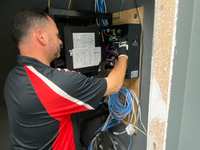
- Wired Camera Systems: Wired solutions, such as CCTV systems, offer a highly reliable connection by transmitting video through dedicated network cables rather than relying on Wi-Fi. If connectivity issues arise, first verify that all cables are securely connected and that the power supply is functioning properly. Because these systems are less flexible to reposition, it’s also important to ensure cameras are installed at optimal angles from the start. When properly designed, wired systems provide consistent coverage of critical areas such as entrances, exits, and stockrooms.
Identifying When to Upgrade and Where
Even if you’re not ready to invest in a full security camera upgrade, there are still meaningful improvements you can make to strengthen your overall video surveillance system.
Working with door security and commercial locksmith professionals like FlyLock Security Solutions, you can schedule regular exit door inspections to identify potential issues early. This helps ensure emergency exits remain fully accessible, compliant, and safe for evacuation at all times. Routine inspections also reduce liability risks and support a safer overall environment by confirming that critical exit routes function properly. In addition, we can assess whether your emergency door hardware requires upgrades or adjustments to meet current safety standards.
Where to Upgrade
Start by identifying your most critical areas and determine where higher-quality coverage will have the greatest impact. Not every part of a property requires the same level of camera resolution. High-priority areas such as front entrances, rear exits, and stockrooms often benefit most from upgraded systems, including higher-resolution cameras with features like AI-based detection and real-time alerts.
Lower-traffic interior spaces—such as hallways, break rooms, and locker areas—may still require reliable coverage but not necessarily the highest-resolution equipment. Prioritizing upgrades based on risk and operational importance allows you to maximize your investment while maintaining effective coverage across your facility.
If budget is a concern, focus high-end surveillance technology only where it provides the greatest operational or security value.
When to Upgrade
If you’ve already optimized camera settings, verified network connectivity, confirmed proper placement, and addressed lighting conditions but still experience performance issues, it may be time to consider an upgrade. Other factors such as storage limitations or the need for more advanced features can also drive the decision. Ultimately, any upgrade should align with both your budget and your operational security requirements to ensure the best return on investment.
Your Path For Better Video Surveillance
Only invest in a brand-new system if you’re experiencing specific issues that cannot be resolved with a properly optimized setup. You now have the knowledge to diagnose common video surveillance problems, so before committing to a full system overhaul, follow this simple checklist:
- Clean All Camera Lenses: This is a simple but often overlooked step that can significantly improve video quality. Dirt, dust, or smudges on lenses can reduce clarity and impact overall monitoring effectiveness.
- Check Camera Angles and Height: Ensure cameras are installed at appropriate heights to prevent tampering while maintaining clear visibility of key areas. Proper positioning is essential for capturing the most relevant activity without obstructions.
- Optimize Lighting for After-Hours: Good lighting plays a critical role in video surveillance performance. Ensure your property is well-lit during nighttime hours and consider using motion-activated floodlights to improve visibility while also deterring unwanted activity.
- Set Up Motion Zones: Motion zones help reduce false alerts by defining specific areas for detection. These virtual boundaries filter out irrelevant movement—such as passing cars or foot traffic outside your area of interest—so alerts are more accurate and actionable.
Frequently Asked Questions
What are the best video surveillance solutions for businesses?
The best video surveillance solutions for businesses include traditional CCTV systems, cloud-based monitoring platforms, and high-definition or 4K security cameras. Many modern systems also feature AI-powered analytics that can detect potential threats in real time and send instant alerts. Additional benefits include advanced reporting and data insights, as well as seamless integration with other security technologies such as access control systems and cloud-based video storage.
How do you integrate security solutions with video surveillance?
Integrating commercial security solutions with video surveillance is best achieved through unified security platforms that centralize system management. These platforms allow businesses to monitor and control multiple security functions from a single interface, improving efficiency and visibility. With advanced integration, organizations can receive real-time alerts, enabling faster response to incidents, while also managing access control, live video monitoring, and commercial door security within one cohesive system.
How do CCTV systems work?
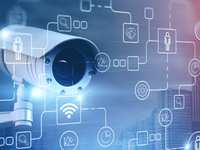
CCTV systems are wired video surveillance solutions composed of security cameras, digital video recorders (DVRs), and network video recorders (NVRs). The cameras capture live video footage, which is then transmitted to a DVR or NVR for recording, storage, and playback. Business owners can access and review footage locally or remotely, enabling both real-time monitoring and the ability to review historical recordings as needed.